Spoonies for business
Look after your teambefore sick leave comes.
An anxiety app for everyone on your team: it supports them in the worst moment, helps them understand what’s going on and makes everyday work feel lighter. You see how the team is doing as a whole. Never anyone in particular.
Why Spoonies
Your team shows up. But they’re not always okay.
Look after your team
When anxiety rises in the middle of a meeting or on the metro, SOS guides them step by step. Help in the moment, not at the next appointment.
Before sick leave
What ends in sick leave has usually been building up for weeks. Spoonies helps each person see it coming: what repeats, at what time and on which day.
Better at work
A moment a day to say how they are, a streak that never punishes the bad days and the reassurance that their company genuinely cares.
What each person gets
Their own app, just for them.
The same as anyone who uses Spoonies on their own. What they log is theirs.
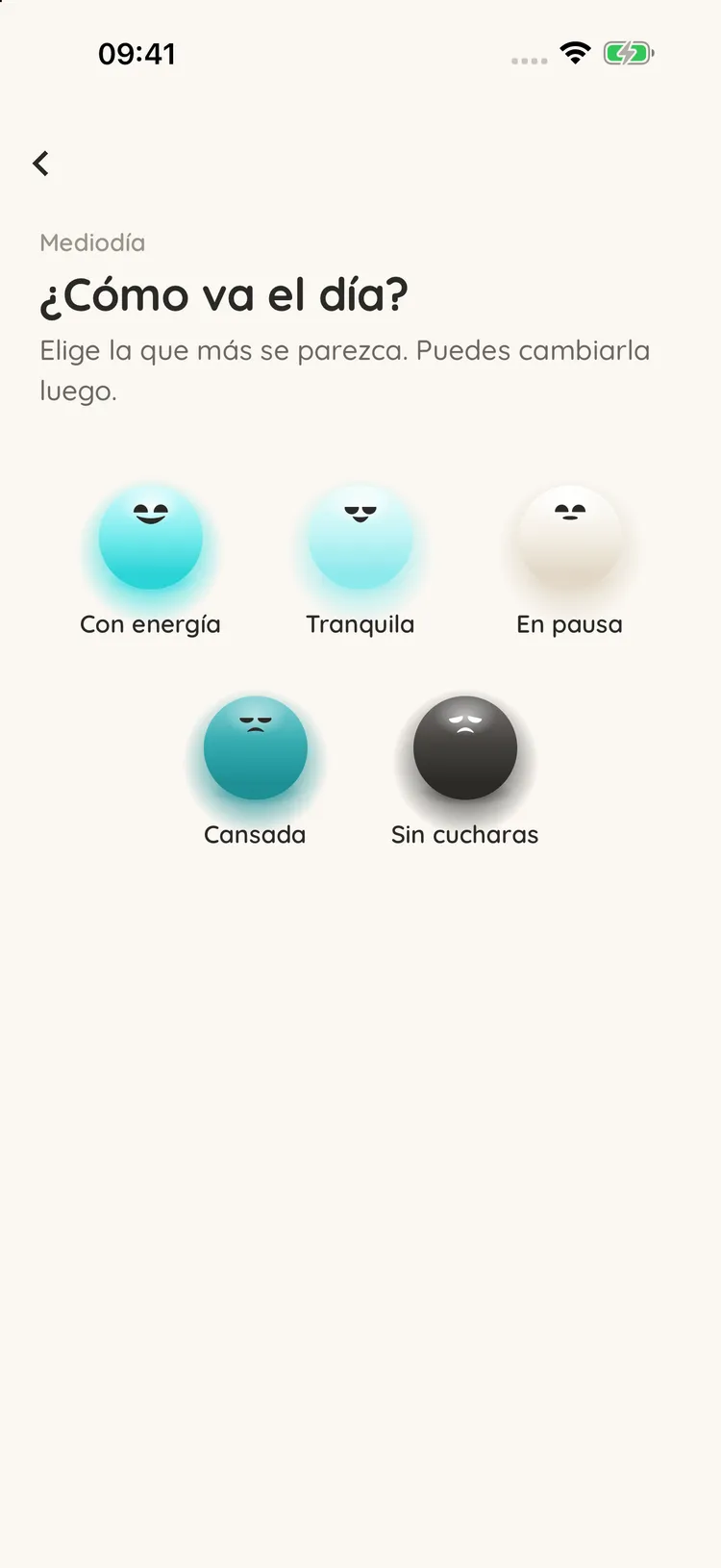
How the day is going
Morning, midday and evening, they pick the ball that best matches how they feel.
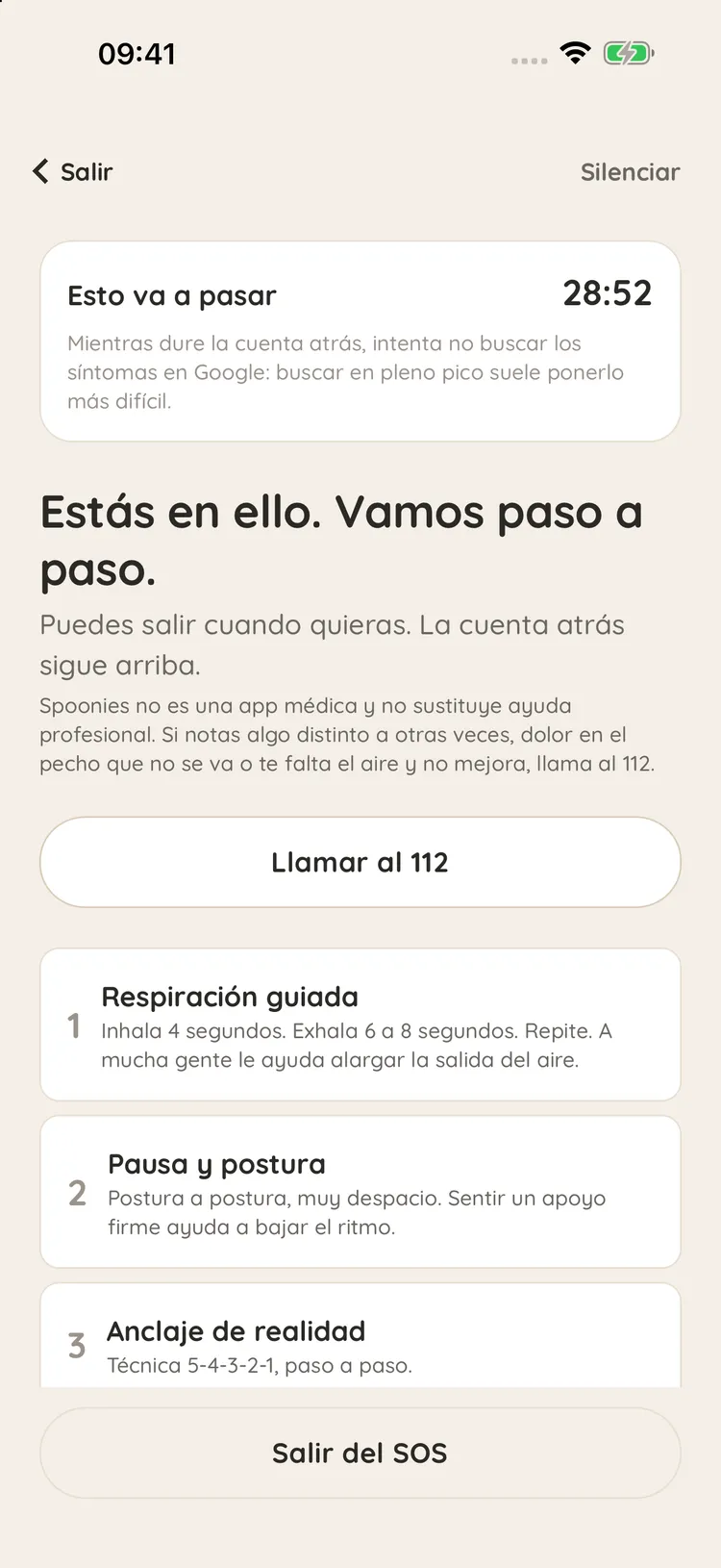
SOS in one tap
When anxiety rises, it guides them through five steps: breathing, posture, grounding, releasing tension and water.
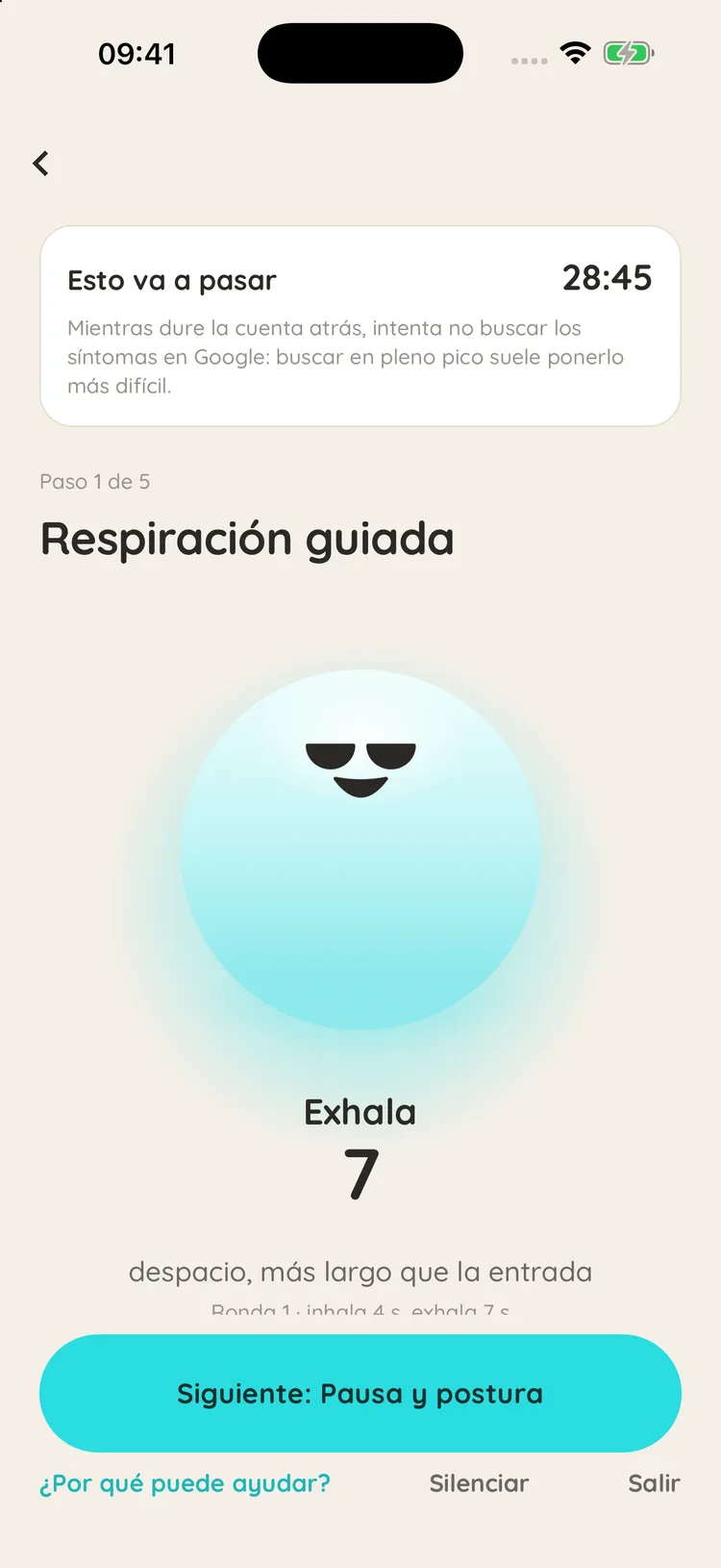
Guided breathing
The first SOS step: the ball shows when to breathe in and when to let the air out, slowly.
Each person logs.The company only sees the climate.
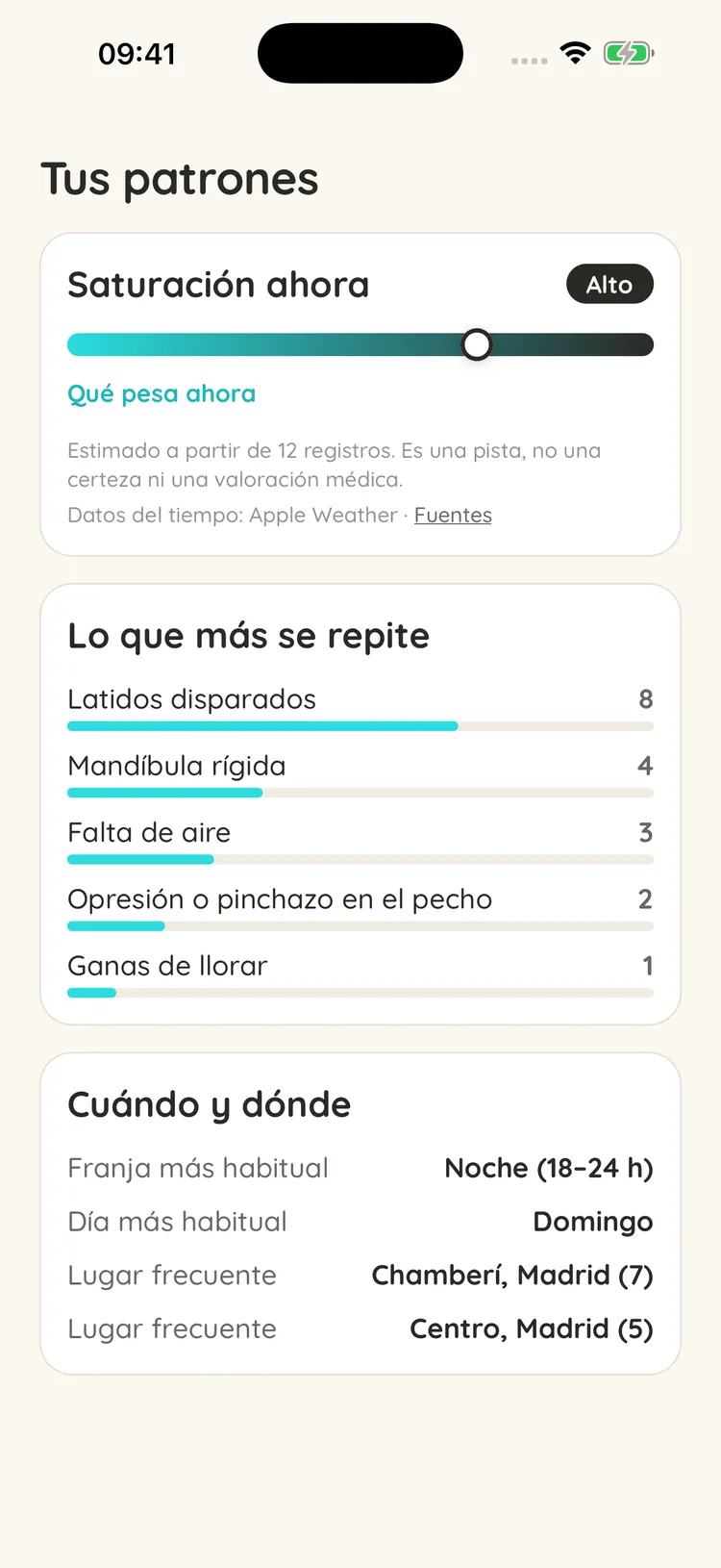
- Daily moodOnly the person sees it
- Episodes and SOSOnly the person sees it
- Notes and symptomsOnly the person sees it
- What weighs at workOnly counts in the team total
What the company sees
Only the average by department, with 5 or more people taking part. Never names or individual answers.
What your company sees
The team’s climate. As a whole.
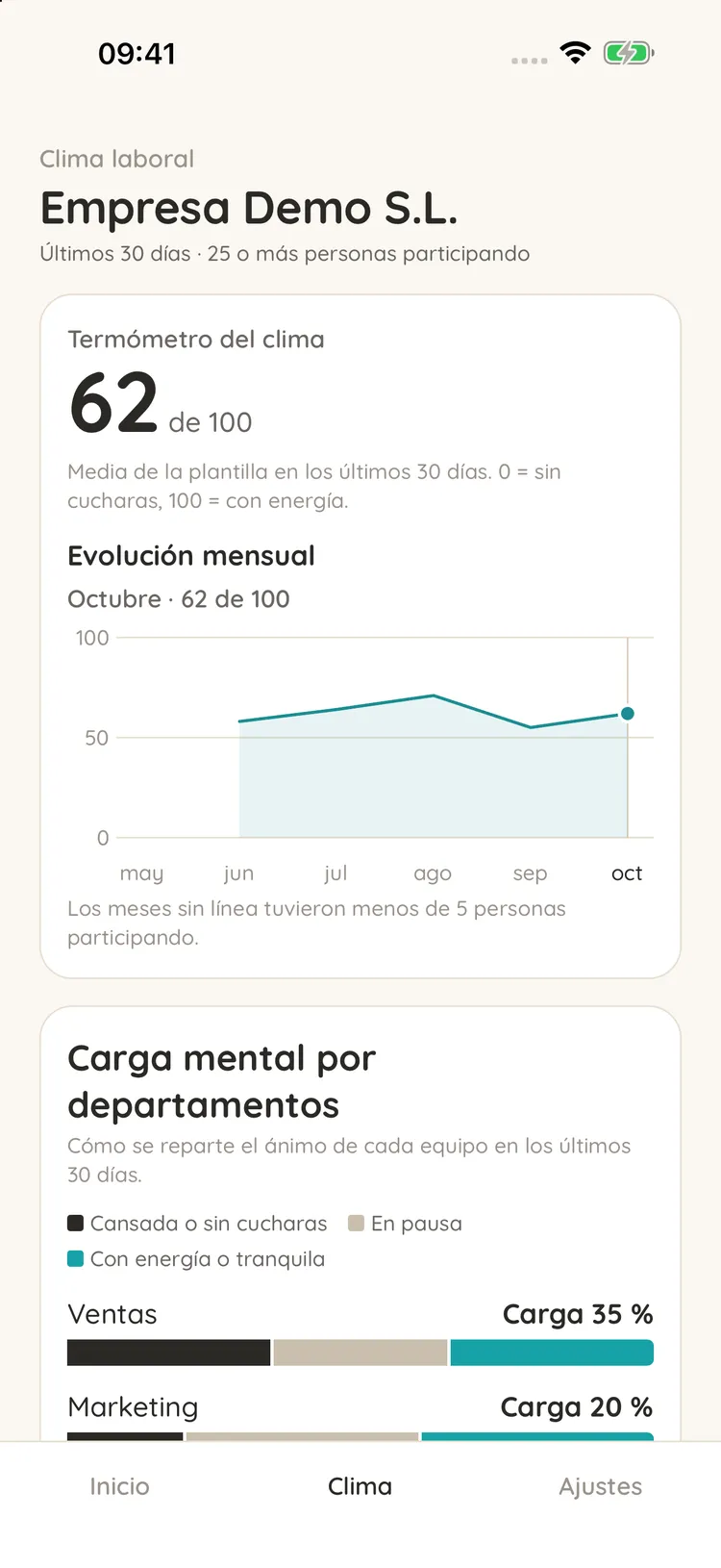
If each person chooses to take part, your company sees how the workforce is doing overall, over the last 30 days. No names, no episodes, no symptoms.
- 1
The climate thermometer
The workforce average from 0 to 100 (0 is out of spoons, 100 is full of energy) and how it changes month by month. Months with fewer than 5 people taking part don’t show.
- 2
Mental load by department
How each team’s mood is spread: how many people are tired or out of spoons, on pause or full of energy.
- 3
What weighs at work
The topics that come up again and again, from a closed list and only in the team total. Never anything anyone wrote.
- 4
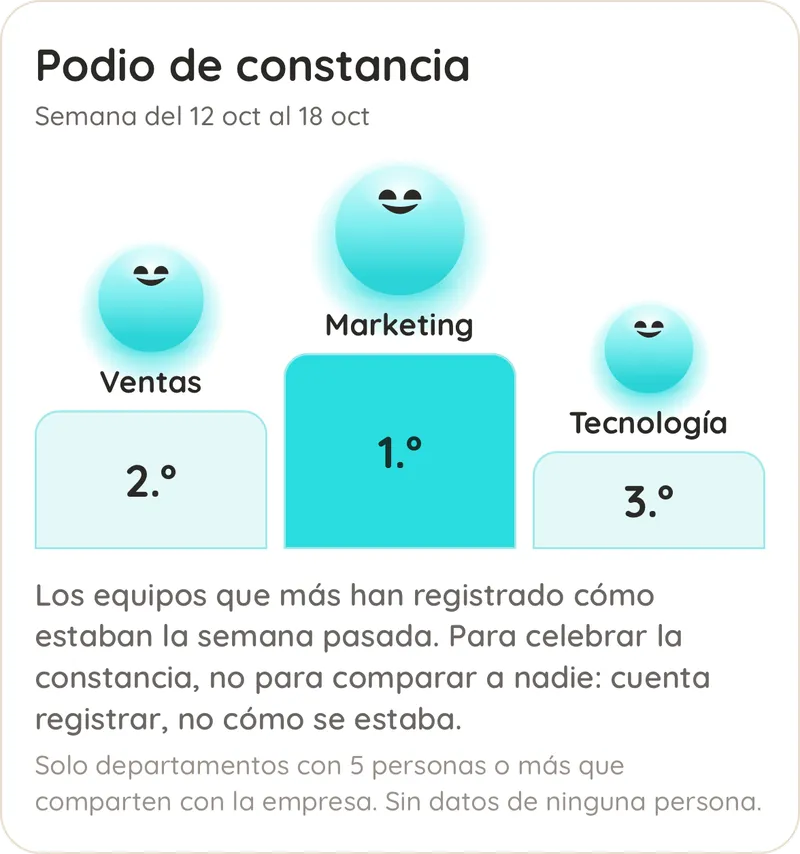
A consistency podium
Each week, the 3 departments that logged how they were on the most days. To celebrate consistency, not to compare: logging counts, not how people were.
How we start
Up and running in three steps.
- 01
We talk
A 30-minute demo to see how it works and how to roll it out to your team.
- 02
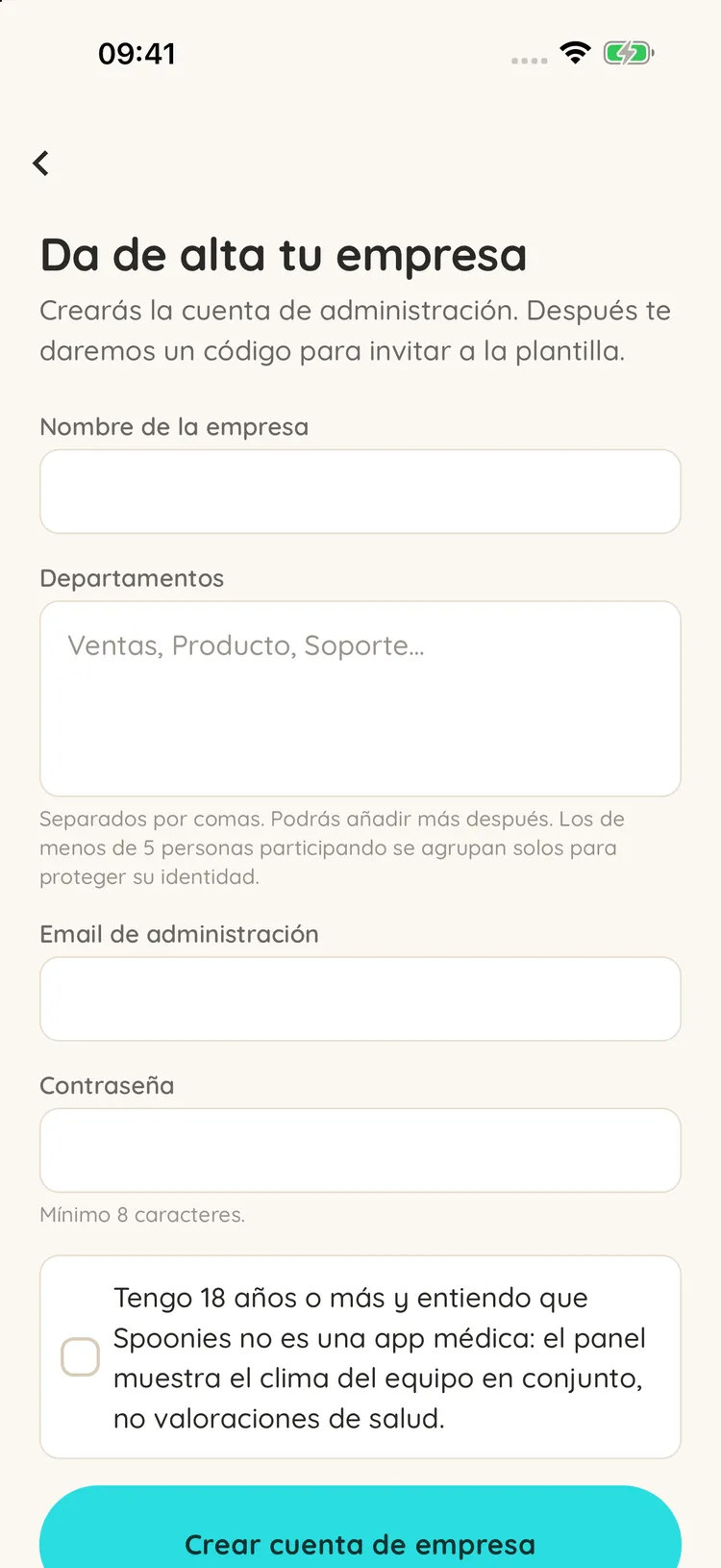
You sign up your company
With its name and departments. Those with fewer than 5 people taking part are grouped automatically to protect their identity.
- 03
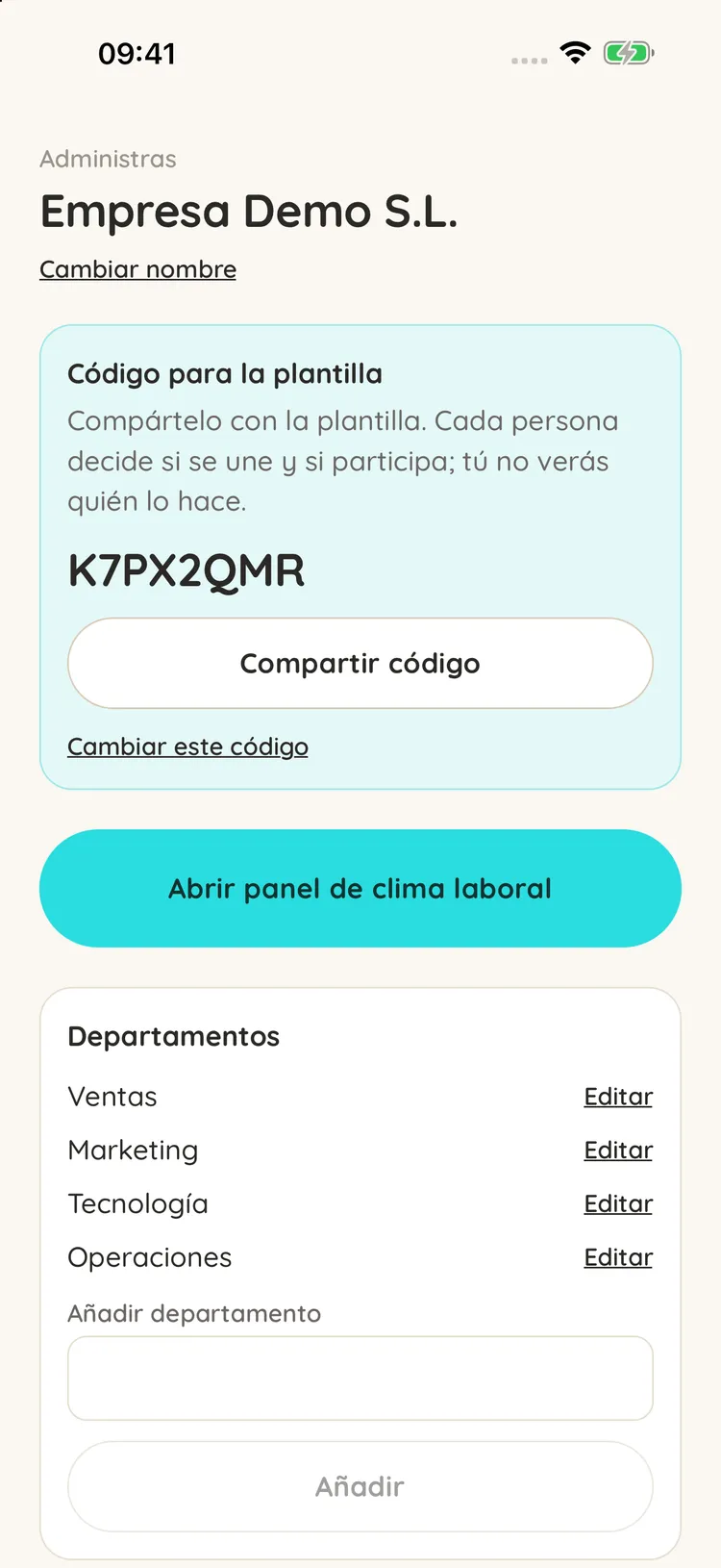
You share the code
Each person decides whether to join and whether to take part in the climate. You don’t see who does.
Questions
Questions from companies
Can the company see anyone’s data?
No. Your company only sees group statistics, calculated on our servers and for groups of at least 5 people. It doesn’t see episodes, symptoms, notes, or who has joined or takes part.
Is it mandatory for the team?
No. Joining is voluntary and taking part in the workplace climate is a separate decision each person can withdraw whenever they want. Companies commit by contract not to force anyone.
How does payment work?
You buy a number of seats. While the company pays, whoever holds a seat has Spoonies included and pays nothing. The terms go in the contract and we walk you through them in the demo.
What if we’re a small team?
The 5-person minimum always applies and can’t be turned off: if a department is smaller, it’s merged with others so nobody can be identified.
What happens if someone leaves the company?
They lose the included access, but they can keep using Spoonies with their own subscription, and everything they logged is still theirs.
Does Spoonies replace a psychologist or occupational health?
No. Spoonies is a wellbeing tool: it observes, records and supports. It doesn’t diagnose or treat, and it doesn’t replace a healthcare professional.
Can't find your question? Write to us and we'll answer.Write to us
Let’s talk about your team.
A 30-minute demo to see how it works and how to roll it out.
A 30-minute demo to see how it works and how to roll it out.